[Windows 10] I can’t Find a Nearby PC so I can’t Share Files using “Near Share” (Hong-Kong version)
Important Note: The information on this page is for Hong Kong products only. Models, sequences or settings will vary depending on location and/or where the product had been purchased. To be redirected to your local support page please click here.
Depending on your sharing settings, you may not be able to find nearby PCs or you may only find some PCs when searching for PCs in Near Share.


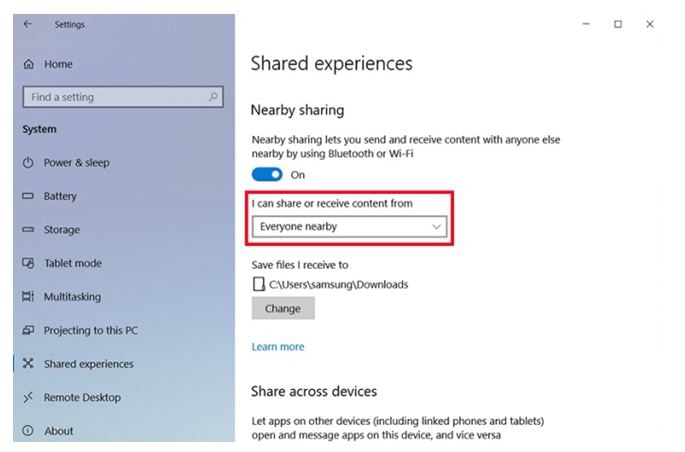
- The above description is only applicable to the Windows 10 on Samsung computers (Hong-Kong version) in year 2018. The above description was updated in October 2018 and for reference only.
- Windows is either registered trademark or trademark of Microsoft Corporation in the United States and/or other countries. All other products and services mentioned may belong to their respective trademark owners.
- Images are for reference only.
If the above information does not match what your product is showing, you may check the User Manual for your product. If you are unable to solve the problem, please contact us for further assistance.
Thank you for your feedback!
Please answer all questions.
RC01_Static Content : This text is only displayed on the editor page