How to use Galaxy Watch features
Important Note: The information on this page is for Hong Kong products only. Models, sequences or settings will vary depending on location and/or where the product had been purchased. To be redirected to your local support page please click here.
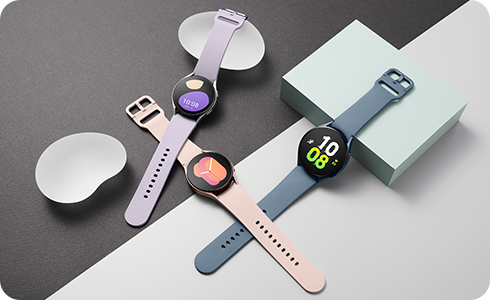
Your Galaxy watch is packed with new and updated features to help keep your device safe, track your fitness goals and monitor your health.
Activate Water Lock
When using your Galaxy watch in or around water turn on Water lock mode to prevent accidental touches on your screen. It will also prevent you from accidentally activating your watch with a wake-up gesture while you're swimming.


Step 1. Swipe down on home screen to reveal quick access panel.


Step 2. Tap Water lock icon.


Step 3. To Turn off, press and hold the Home key for two seconds.
Measure your Body Composition
Galaxy watch has advanced sensors to analyse your body more accurately. The new Bioelectrical Impedance Analysis (BIA) sensor allows you to measure your body fat and even your skeletal muscle.


Step 1. Open Samsung Health app, scroll down and tap “Body Composition”.


Step 2. Tap “Measure”.


Step 3. Select your gender preference.


Step 4. Select your height.


Step 5. Enter your weight and tap “Done”.


Follow the on-screen instructions to complete the measurement.
Please Note:
Keep in mind that body composition monitoring is for fitness and wellness only, not for the diagnosis or treatment of any medical condition.
Do not measure if you have an implanted pacemaker or other implanted medical device.
Measure your Stress Levels
With Galaxy Watch you can measure your stress levels by checking your heart rate and some other factors.


Step 1. Open Samsung Health app , scroll down and tap “Stress”.


Step 2. Tap “Measure”.


Step 3. Wait for Galaxy to prepare.


Step 4. Stress levels will be displayed as a percentage.
Please Note:
Stress levels measurements are for personal use only and do not offer conclusive medical opinion.
If at any point you feel stress, discomfort or unwell, talk to a medical professional.
Monitor your Heart Rate
Knowing your heart rate can be useful because it helps you determine whether your exercise is intense enough to provide health benefits, but not so intense that it could present physical complications.


Step 1. Open Samsung Health app, scroll down and tap “Heart rate”.


Step 2. Tap “Measure”.


Step 3. Heart rate information will be displayed.
Please Note:
Heart rate measurements are for personal use only and do not offer conclusive medical opinion.
If you feel unwell or any discomfort, seek immediate medical advice.
If the above information does not match what your product is showing, you may check the User Manual for your product. If you are unable to solve the problem, please contact us for further assistance.
Thank you for your feedback!
Please answer all questions.
RC01_Static Content : This text is only displayed on the editor page