Use SeeColors Mode on your Samsung Smart TV
Important Note: The information on this page is for Hong Kong products only. Models, sequences or settings will vary depending on location and/or where the product had been purchased. To be redirected to your local support page please click here.
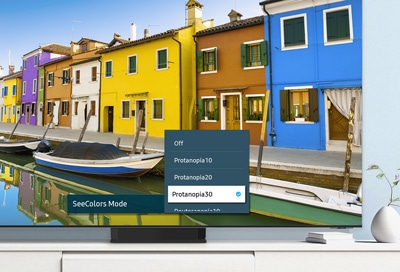
SeeColors Mode on 2023 Samsung Smart TVs allows you to customize the screen’s colors using various settings based on different types of color vision deficiency (CVD). Not only does this feature improve the viewing experience by automatically adjusting the red, green, and blue levels so you can easily distinguish separate colors, it also lets you select your preferred color mode.
Note: SeeColors Mode is supported on 2023 Neo QLED, QLED, and OLED TVs, as well as 2023 Smart Monitors and Gaming Monitor model G95SC.
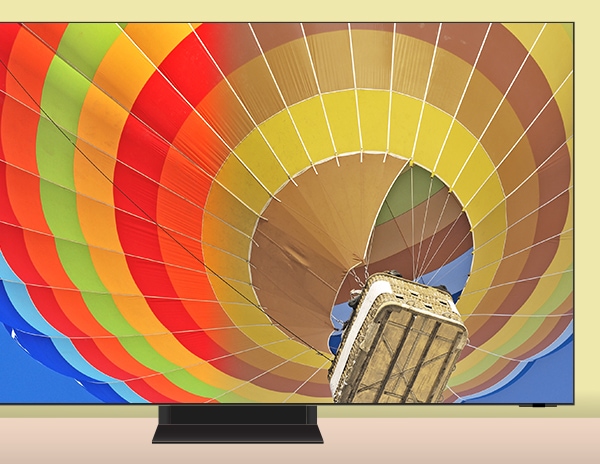
To begin using SeeColors Mode on your Samsung Smart TV, please follow the steps below:
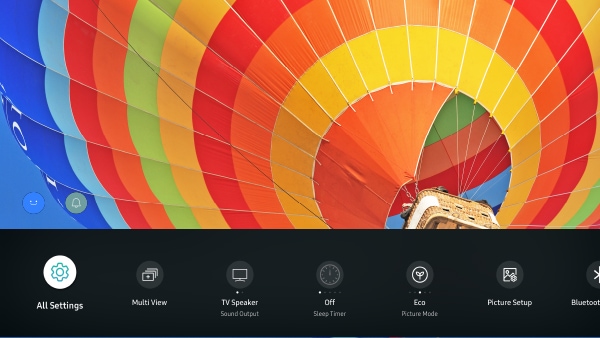
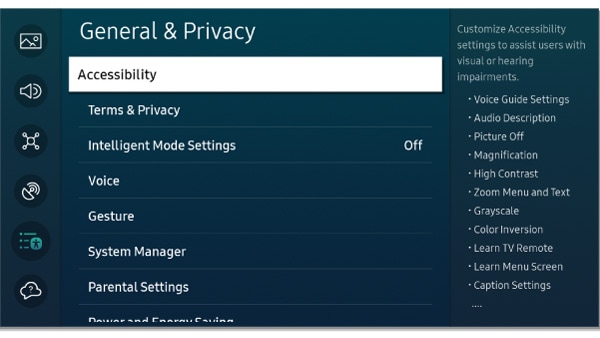
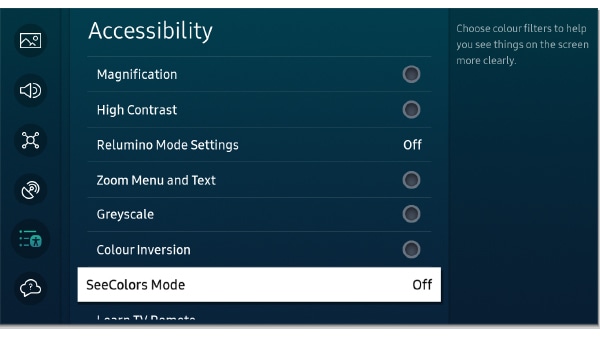
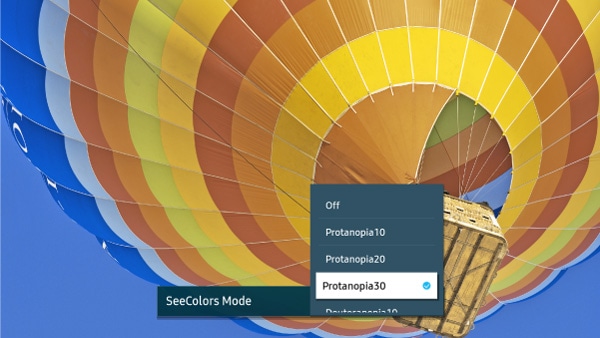
Note: Select Off to turn off SeeColors Mode.
Notes:
- Some menus may be disabled when using SeeColors Mode.
- You can also access the Accessibility shortcuts by pressing and holding the Volume button on your remote control.
If the above information does not match what your product is showing, you may check the User Manual for your product. If you are unable to solve the problem, please contact us for further assistance.
Thank you for your feedback!
Please answer all questions.
RC01_Static Content : This text is only displayed on the editor page