What to do if your Galaxy Watch touch screen is not working
There are several touch navigation actions available, such as Tap, Touch and hold, Drag, Double tap, Swipe, and Spread and pinch.


Tap: Tap the screen to select an icon or menu to open an app or activate a feature.


Touch and hold: Touch and hold the screen for 0.5 seconds or more to edit an item or open additional options.


Drag: Press and drag your finger to the desired location on the screen to move icons or items.


Double tap: Double tap to zoom in and out of the screen in the Gallery or web browser.
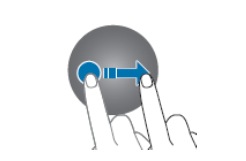
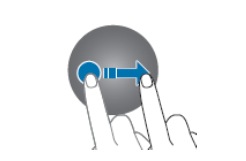
Swipe: Swipe across the screen to move to another page or menu.


Spread and pinch: Spread two fingers apart or pinch to zoom in and out of the screen.
When there is a problem with touch navigation, such as freezing or lagging, restart your Galaxy Watch by powering it off and on.
Power off and on


Step 1. Swipe down to access Quick settings > Tap the Power icon.


Step 2. Tap the Power icon to power off.


Step 3. Long press the Home button to turn the watch on.
Note: If the watch does not turn off, press and hold the Home button and Back button at the same time for at least 7 seconds until the watch turns off and on.
Reset


Step 1. Swipe and tap the Settings icon.


Step 2. Swipe to and tap General.


Step 3. Tap Reset.
Caution:
- Before resetting your watch to default settings, make sure to back up your data using the Galaxy Wearable app.
- After a reset, all settings and customizations will return to the original factory settings.
* For your watch to automatically backup, it must be connected to your Galaxy mobile device before performing a reset.
Note: If you are still experiencing issues with your watch, please contact the Samsung Service Center.


Service Centers


Locate the nearest Samsung service center to have your product checked.

Thank you for your feedback!
Please answer all questions.
Contact Info
WhatsApp
![WhatsApp]()
![WhatsApp]()


Monday to Sunday
8:00 a.m. a 12:00 a.m.
LiveChat
![LiveChat]()
![LiveChat]()


Monday to Sunday
8:00 a.m. a 12:00 a.m.
Online
Call
Costa Rica: 00-800-1-726-7864
Ecuador: 1-800-72-6786
El Salvador: 800-0726-7864
Guatemala: 1-800-299-0033
Call
Honduras: 800-2791-9111
Jamaica: 1-800-726-7864
Nicaragua: 001-800-5077267
Panama: 800-0101
Call
Puerto Rico: 1-800-682-3180
Trinidad and Tobago: 1-800-726-7864
Venezuela: 0-800-100-5303
Dominican Republic: 1-800-751-2676