Samsung health


Bring your health into focus with a connected view of activity, sleep, nutrition, mindfulness and vitals. Understand your body better with clear insights and personalized guidance that help build healthier habits — keeping you informed and in tune with your everyday wellness.
See what's new
One personalized score to know your heart better 1,2
Jump to Vitals

Four cardiovascular prevention indicators are displayed: 7-day sleep time average is Attention, 7-day moderate to vigorous activity is Fair, Vascular load is Excellent, BMI is Good. The indicators change into icons that represent the level of Heart Health Score. The icons move off-screen, leaving only the Excellent Heart Health Score icon and the Heart Health Score GUI flies into the centre. The score increases from 0 to 94 and becomes Excellent. The Excellent icon is joined by other icons to create a line graph that turn into the app UI, showing a Heart health score 7 day trend.
Your body speaks while you sleep. Listen with Vitals.3
Jump to Vitals

A heart rate icon, representing sleep vital signs, appears. To the right of this icon, icons for heart rate variability, respiratory rate, skin temperature and oxygen saturation also appear. The icons change into bar graphs. A bed icon and moon icon appear to indicate that vital signals are also tracked during sleep. The bar graphs reappear and the text Vitals, 2 out of range appears at the top. Galaxy Watch9 appears and the information is placed onscreen.
Know your fitness level. Own your progress.
Jump to Activity

A person icon appears and runs. Then, a person icon appears and swims. Another person icon appears and lifts weight. A person icon appears, playing soccer. Lastly, a person icon cycles around a pentagon shape. The pentagon shape turns into the Fitness Index radar chart. Through the chart, the user can compare the Current and Target index. The user can also see the Average fitness score.
Train. Recover. Track both.
Jump to Activity

Text Daily Cardio Load, Under target at the top. Text at the top changes to Optimal. Text at the top changes to Over target. Text at the top changes to Rest needed. A moon icon appears. Daily cardio load UI screen appears, showing the Optimal level of daily cardio load with Today's progress and target range at 35%.
See your progress clearly, anytime
Activity levels are easier to understand when you keep track of your performance with Samsung Health. Monitor your progress, identify areas that need more attention and stay motivated as you move forward each day toward a healthier lifestyle.
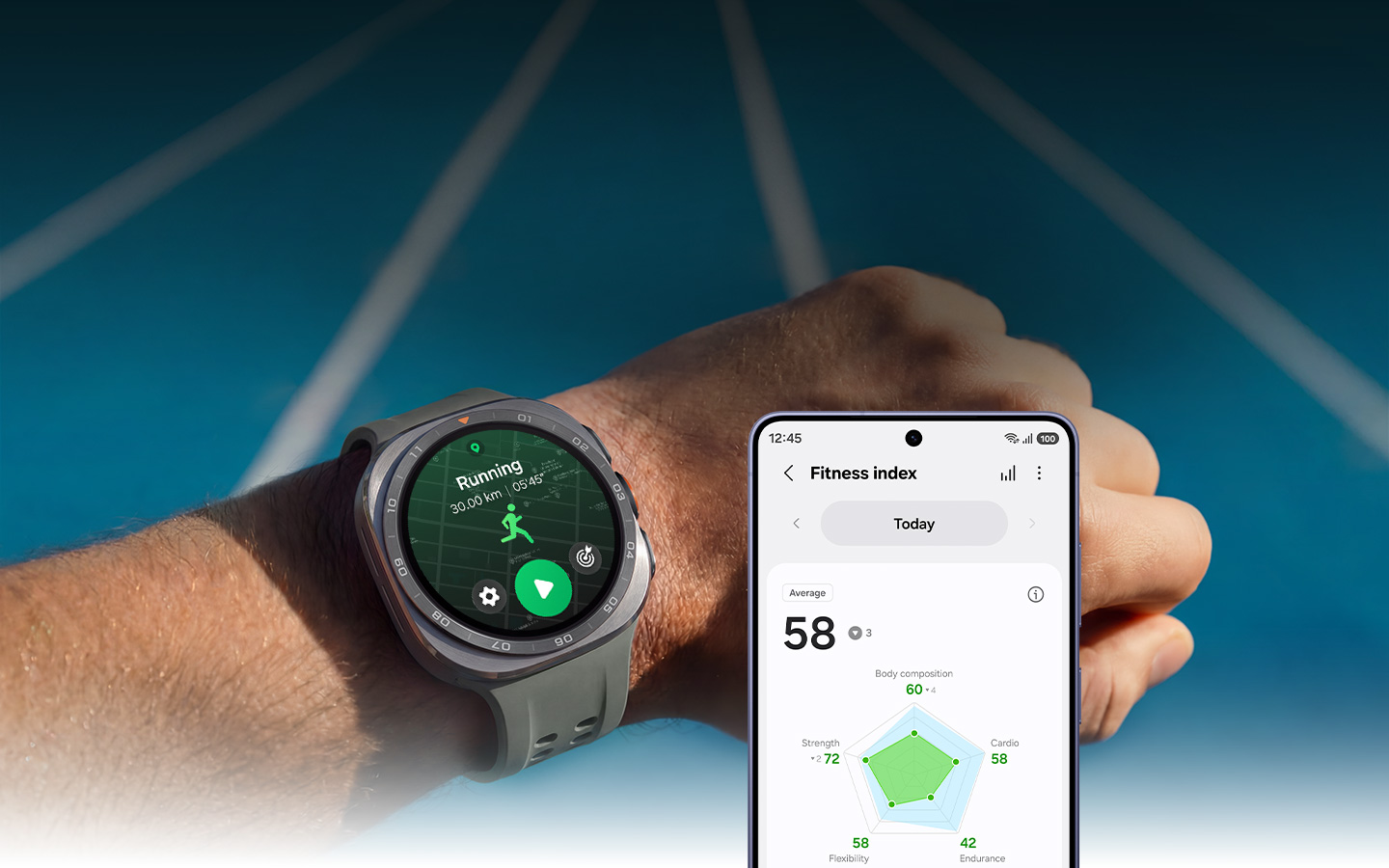
Know your fitness level. Own your progress.

Off-grid. On track.

Train. Recover. Track both.

Coaching for the long run.

Ride Smart. Carry less.

Track your strokes for faster records

Work out on your own terms

How to take running
to the next level
Learn how Running program can help you train your runs and stay on the right track, even during trail runs.


How to find balance
in your training
Learn how Fitness insights guide you to rest and workout for maximum results, based on your physical capabilities.


Get 60 days of
Strava, on us
Start training with the world's most active community. Your new Galaxy Watch comes with a 60-day Strava Subscription trial.*


Premium personal training, on us
New qualifying Galaxy Watchш, Buds∆ and smartphone҂ owners get trainer-led workouts with up to 3 months of iFIT on Samsung Health.


Tomorrow is built tonight
Wonder why you're tired, even after hours of sleep? Check your sleep habits with Galaxy Watch or Ring. Track your sleep data and receive personalized Sleep Coaching for better days and nights.11
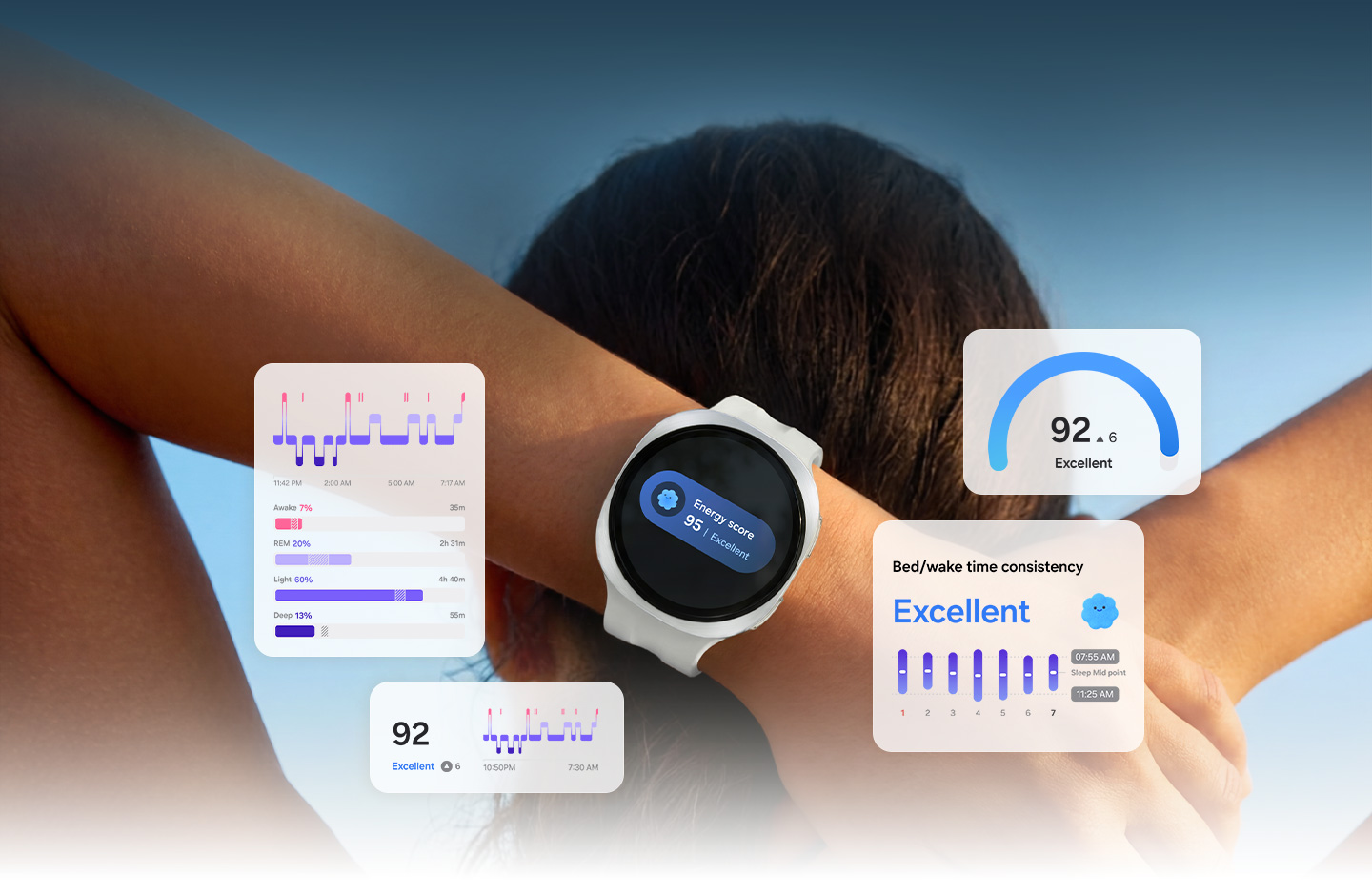
Discover your optimal bedtime

Gather data for detailed sleep insights

Get Sleep Coaching tailored to your needs¹³

Achieve your best every day with Energy Score¹⁴

Detect moderate to severe sleep apnea¹⁵

How to sleep for a better tomorrow
Learn how to build lasting habits for better sleep quality through AI-powered insights and tailored guidance.


Age well through better nutrition
Along with exercise and good sleep habits, a healthy diet is key for your health. Manage your dietary habits with Samsung Health to live life to the fullest.
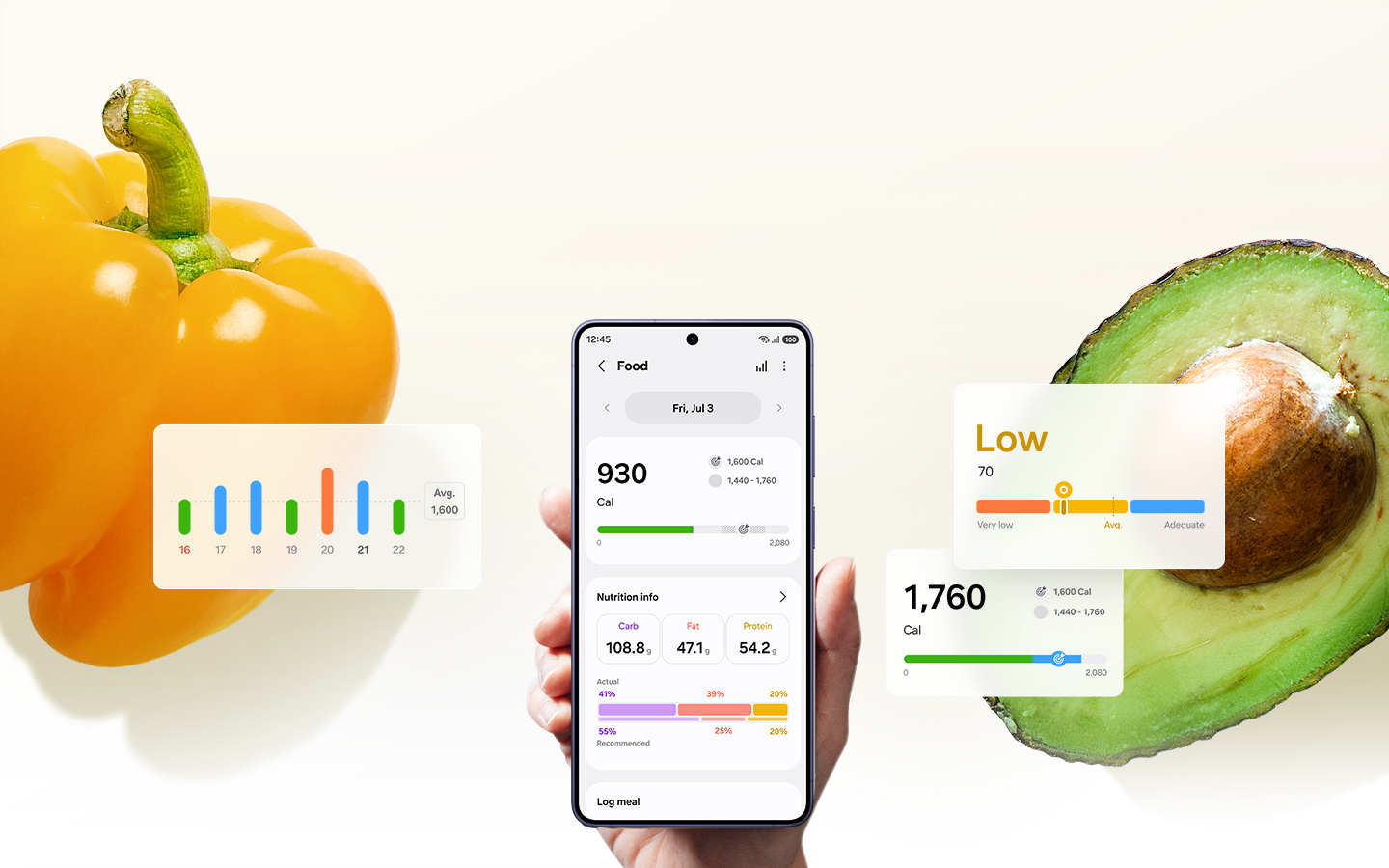
Measure your health from inside out

Monitor metabolic health by checking AGEs index

Keep logs and stick to a balanced diet

Monitor health with Body Composition

Practice mindfulness for sound body
Holistic wellness starts with balancing mind and body. Samsung Health helps you understand your mood and stress levels and unwind through guided breathing exercises and meditation. Check in daily to stay grounded and support your overall well-being.
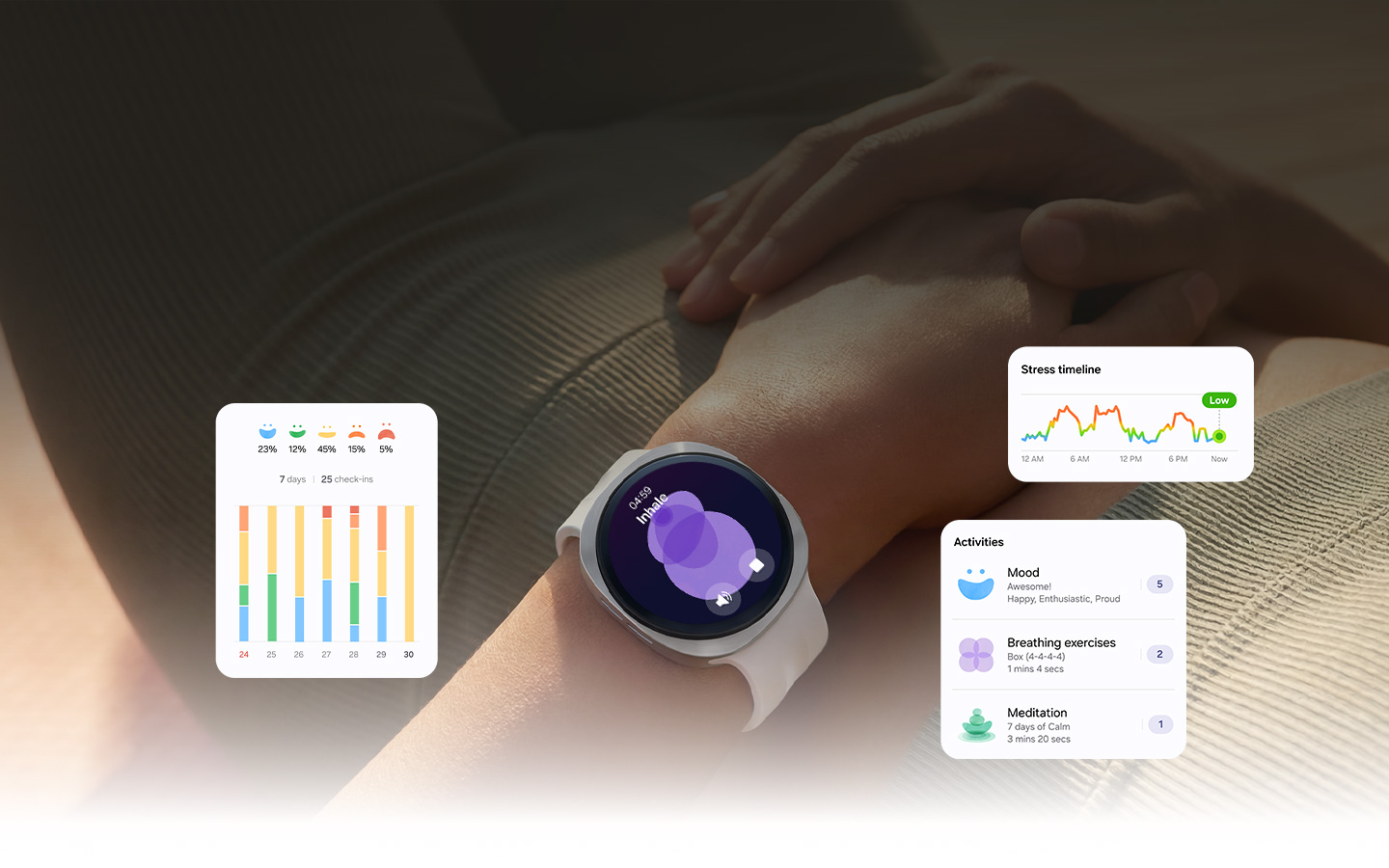
Stay focused with Mindfulness Tracker

Monitor your stress and make progress

Seek peace and quiet with meditation

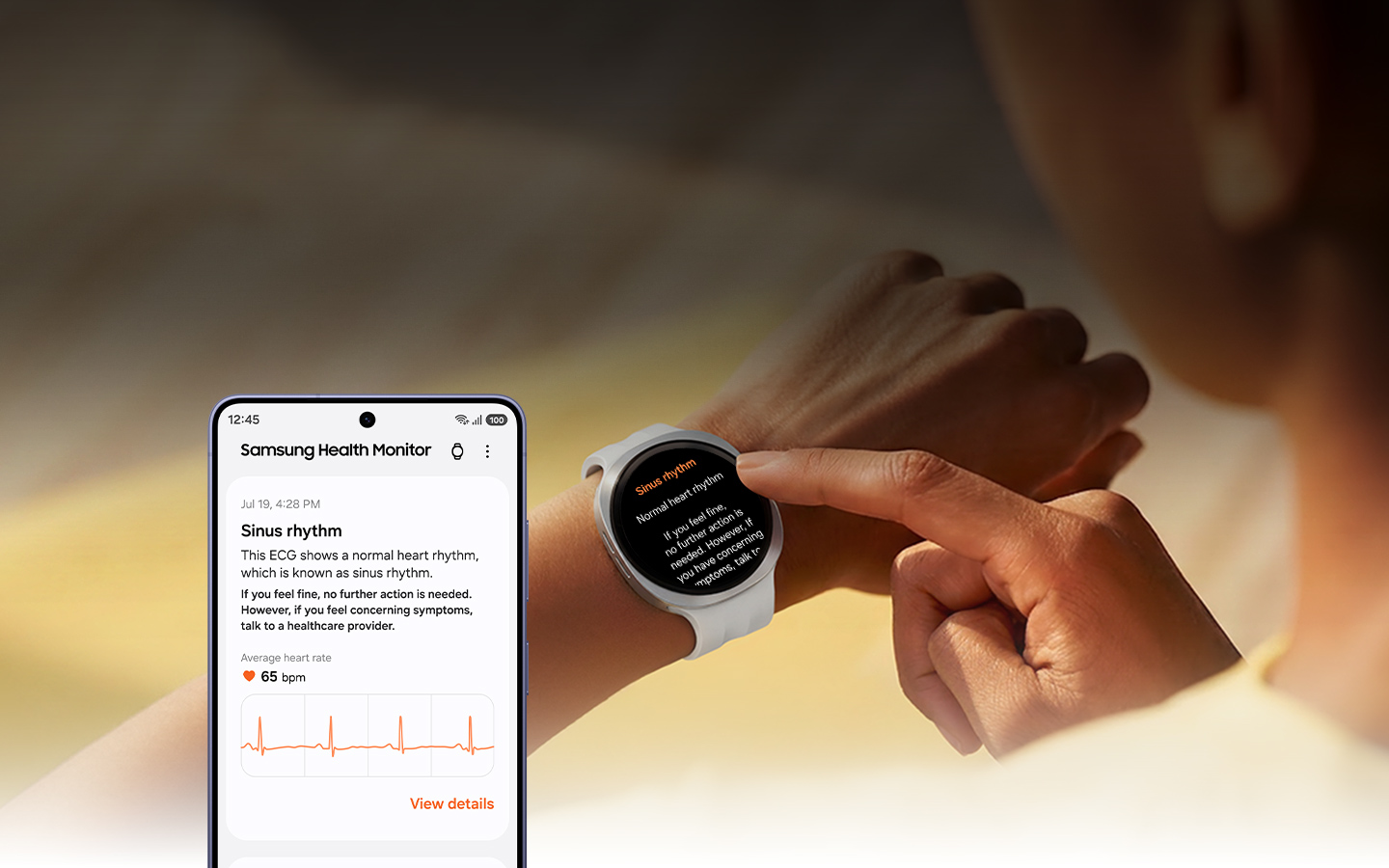
A picture of your heart health
Observe heart activities for overall health with Galaxy Watch. Then, Samsung Health Monitor along with Samsung Health will provide valuable insights.
One personalized score to know your heart better

Your body speaks while you sleep. Listen with Vitals.

Start your day with a blood pressure estimate

Keep a lookout on your heart's activity

Check for abnormal heart rhythms

How to monitor your body signals with Vitals
Learn how Vitals can help you stay on top of your health by tracking key health metrics, informing you of unusual changes.


Medication Management
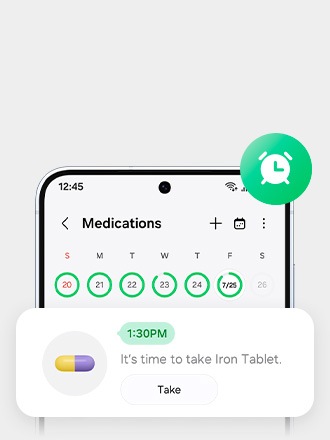
Worry less about keeping track of different medications. Easily make a medication list, get reminders to take your pills and read detailed information about the drugs — all on Samsung Health.22
Stick to your medication schedule effortlessly
Be aware of drug interactions

Organize your medication plan in a snap

More Samsung Health features
Check out more features provided by Samsung Health that will support your healthcare journey.
Keep hearing health in check

Help plan ahead

Motivate each other with Together

Track your weekly progress

Share and care for your loved ones

See your health records in one place

Build your ultimate tracking team
Bundle Galaxy Watch and Buds with Galaxy smartphones to save big on the best workout buddies.
Galaxy Watch Ultra2
Record workouts
Log your entire exercise routine to keep an accurate track of your fitness journey.


Marine Band
Water-resistant Watch band
Dive right in with Marine Band that's designed to dry quickly.


Galaxy Z Fold8 Ultra
Check your progress
Review your post-workout results and strive to break records.


Galaxy Watch9
Sleep data on your wrist
Monitor your sleep, view insights and get tips.


Fabric Band
Track sleep in comfort
Swap to the soft Fabric Band for more restorative rest.


Galaxy Z Fold8
Complete a restful sleep
Dive deep into sleep data and insights.


Galaxy Watch8 Classic
Track nutritional wellness
Log your meals to get a clear view of your nutrition and its impact on your metabolic health.


Galaxy S26 Ultra
Record your metabolic data
Track food intake, monitor body composition and learn how a low-glycemic diet supports your well-being.


Galaxy Z Flip8
Understand your AGEs index
Measure your AGEs index as you sleep and access detailed insights.


Galaxy Buds4 Pro
Immerse into meditation
Activate ANC to fully focus on true peace and quiet.


Galaxy Watch9
Take deep breaths to relax
Practice breathing exercises to relieve your stress.


Galaxy S26
Monitor stress regularly
Keep track of your stress levels daily.


Galaxy Watch9
Heart health on your wrist
Check your heart rate during workouts and when you're resting.


Sport Band
Comfortable all-day tracking
Monitor your health with Watch bands that are fit for everyday wear.


Galaxy Ring
Heart wellness on a finger
Comfortably track your heart health throughout the day.


Health Partnerships
Samsung partners with companies and research institutions worldwide to provide health monitoring features, helping people gain detailed information on their overall well-being.


Your health data is stored safely with Samsung Knox


Frequently Asked Questions
Instructions for Use: IFU
Find out more detailed information about supported health-related features in your country.
1The Heart Health Score software functions are not intended for use in the diagnosis of disease or other conditions, or in the cure, mitigation, treatment or prevention of disease.
2Requires a compatible Samsung Galaxy phone, Samsung Health app and Samsung account. Requires initial setup wearing watch for 24 hours (including awake and asleep).
3The Vitals software functions are not intended for use in the diagnosis of disease or other conditions, or in the cure, mitigation, treatment or prevention of disease.
Requires a compatible Samsung Galaxy phone, Samsung Health app and Samsung account. Requires initial setup wearing watch for 7 out of 28 nights.
4Requires initial setup with compatible Android phone, Samsung account and Samsung Health app. Premium content (optional) powered by iFit requires paid subscription.
5Requires a compatible Android smartphone. Must select map from Samsung Health App or upload compatible GPX file.
6Requires initial setup in Samsung Health app, a compatible phone and Samsung account.
7Available for outdoor running only; requires at least 12 minutes of running with GPS on and initial setup. Galaxy AI features track data and require compatible Samsung Galaxy phone, Samsung Health app and Samsung account.
8Requires a compatible cycling sensor (sold separately) with dual-band Bluetooth and ANT+ connectivity; compatible sensors include Power Meters, Speed Sensors and Cadence Sensors (excludes Smart Trainers). Requires a compatible Android smartphone, Samsung Health app and Samsung account.
9Consistent with 10ATM water- resistance classification (up to 100m of fresh water for up to 10 minutes) and IP68 rating (up to 6 feet of water for up to 30 minutes). Rinse residue / dry after wet.
10Auto Workout Detection automatically tracks walking, running, elliptical, rowing machine, swimming and dynamic workouts. Requires compatible smartphone and the Samsung Health app.
11Requires a compatible Samsung Galaxy phone, Samsung Health app and Samsung account. Some features require initial setup process.
12Must wear watch for 3 consecutive nights and set optimal wake up time in the Samsung Health app.
13Sleep Coaching requires sleep data of at least 7 days, including at least 1 workday and 1 day off. Requires Samsung Health application version 6.24 or later.
14Galaxy AI features track data and require a compatible wearable device (sold separately), Samsung Health app and Samsung account.
15The Samsung Sleep Apnea Feature is regulated by the U.S. FDA as a medical device. It is intended to provide a notification of the risk of sleep apnea in users who have not been previously diagnosed. Consult your physician if you have any questions.
16Not intended for medical use.
17Advanced Glycation End-products(AGEs) requires Samsung Account login and Samsung Health app 6.27 or later. Available on devices with Android OS 10 (Q OS) or later. AGEs is supported in Samsung Galaxy Watch7 and later released Samsung Galaxy Watch models only. Not intended for use in detection, diagnosis, treatment of any medical condition. AGEs index is for your personal reference only. Please consult a medical professional for advice.
18The Samsung BIA is a body analyzer that uses bioelectrical impedance analysis (BIA) technology to track body composition based on weight, body fat, body mass index (BMI), skeletal muscle, body water, and basal metabolic rate (BMR) measurements. It is not intended to specifically diagnose or treat a medical condition.
19Requires initial and periodic calibrations every 28 days using a third-party blood pressure cuff, sold separately. Read and follow instructions to calibrate the blood pressure function. Compatible with Android 12 or later, Watch/Wear OS 4.0.
20The software features shown are not intended for use in the diagnosis of disease or other conditions, or in the cure, mitigation, treatment or prevention of disease. Requires initial and periodic calibrations every 28 days using a third-party blood pressure cuff, sold separately. Read and follow instructions to calibrate the blood pressure function. Compatible with Android 12 or later, Watch/Wear OS 4.0.
21The ECG Monitor App intended for adults 22 years and older analyzes pulse rate data to identify episodes of irregular heart rhythms suggestive of AFib and provides a notification suggesting the user record an ECG to analyze the heart rhythm. The IHRN feature is not intended to provide a notification on every episode of irregular rhythm suggestive of AFib and the absence of a notification is not intended to indicate no disease process is present; rather the feature is intended to opportunistically acquire pulse rate data when the user is still and analyze the data when determined sufficient toward surfacing a notification. The ECG Monitor App is not intended to replace traditional methods of diagnosis or treatment. The ECG app is not intended for users with known arrhythmias other than AFib or users under 22 years old. Users should not interpret or take clinical action based on the device output without consultation of a qualified healthcare professional.
22Samsung Health Medications feature is intended to help users manage their medication list and schedule. Information provided is evidence-based content licensed from Elsevier, a global leader in information and analytics. Requires smartphone with Android 8.0 or later and Samsung Health app version 6.26 or later. Availability for the features may vary by device.
23Cycle Tracking is available for tracking a user's menstruation cycle. NOT INTENDED FOR CONTRACEPTION. If you are currently taking hormonal birth control or undergoing hormonal treatment that inhibits ovulation, this service will not be useful for tracking ovulation. Cycle Tracking results may be impacted by Watch usage (recommendation: 4 hours during sleep, 5 times a week), input data and environmental conditions (such as illness, medications, traveling and disruptions to users' daily routine). If you are taking medication, consult your doctor to learn how it may impact your body temperature. Do not interpret or take clinical action based on the predictions made without consultation of a qualified healthcare professional. This feature is not intended for users under 18 years of age.
24All participants must have the latest version of the Samsung Health app, downloadable via Galaxy Store and/or Google Play Store.
25Samsung Health Records provides a gateway to view various medical records in one place. This service is not to be used as a medical practice or for making medical decisions. Availability for the features may vary by country. Personal Health Records feature currently only available in the US, India and Korea. Available on Android phones (Android 10 or above) and requires Samsung Health app (v6.28). Samsung Health Records in the US is powered by b.well.
26Consistent with 10ATM water- resistance classification (up to 100m of fresh water for up to 10 minutes) and IP68 rating (up to 6 feet of water for up to 30 minutes). Rinse residue / dry after wet.
27The Heart Health Score software functions are not intended for use in the diagnosis of disease or other conditions, or in the cure, mitigation, treatment or prevention of disease.
28Only available on Galaxy Watch Ultra2.
шPromotional Offer available in the United States only and to new and existing Samsung Health users. To redeem your Activation Code, you must sign up for an iFIT membership, add a valid payment method, agree to auto-renewal, and authorize iFIT to charge the then-current iFIT monthly membership rate plus applicable taxes at the end of your Promotional Period. Your promotional offer will end 60 days after redemption of the Activation Code. You can cancel anytime at https://www.ifit.com/cancel by logging into your iFIT account and following the cancellation steps. By signing up for an iFIT membership, you agree to the iFIT Terms of Use, Terms of Membership, and Privacy Policy. iFIT membership rates may change at any time. Your membership begins once you redeem your Activation Code. Each Activation Code is for one-time use only and may not be combined with other offers, coupons, discounts, or promotions. Your Activation Code will expire 60 days after the date of purchase of your Samsung hardware.
∆Promotional Offer available in the United States only and to new and existing Samsung Health users. To redeem your Activation Code, you must sign up for an iFIT membership, add a valid payment method, agree to auto-renewal, and authorize iFIT to charge the then-current iFIT monthly membership rate plus applicable taxes at the end of your Promotional Period. Your promotional offer will end 90 days after redemption of the Activation Code. You can cancel anytime at www.ifit.com/cancel by logging into your iFIT account and following the cancellation steps. By signing up for an iFIT membership, you agree to the iFIT Terms of Use, Terms of Membership, and Privacy Policy. iFIT membership rates may change at any time. Your membership begins once you redeem your Activation Code. Each Activation Code is for one-time use only and may not be combined with other offers, coupons, discounts, or promotions. Your Activation Code will expire 60 days after the date of purchase of your Samsung hardware.
҂Promotional Offer available in the United States only and to new and existing Samsung Health users. To redeem your Activation Code, you must sign up for an iFIT membership, add a valid payment method, agree to auto-renewal, and authorize iFIT to charge the then-current iFIT monthly membership rate plus applicable taxes at the end of your Promotional Period. Your promotional offer will end 30 days after redemption of the Activation Code. You can cancel anytime at https://www.ifit.com/cancel by logging into your iFIT account and following the cancellation steps. By signing up for an iFIT membership, you agree to the iFIT Terms of Use, Terms of Membership, and Privacy Policy. iFIT membership rates may change at any time. Your membership begins once you redeem your Activation Code. Each Activation Code is for one-time use only and may not be combined with other offers, coupons, discounts, or promotions. Your Activation Code will expire 60 days after the date of purchase of your Samsung hardware.
*Offer available to eligible Galaxy Watch9 and Galaxy Watch Ultra2 owners with a Strava Free account in participating regions. One 60-day trial per eligible account. Offer valid through July 31, 2027. Offer carries no cash value. Trial converts into a paid auto-renewing annual subscription at the then-current rate unless canceled at least 24 hours the end of the trial. Offer is not available to users in any country where Strava’s services are restricted. See full terms and redemption steps for details.



 Google Calendar
 Yahoo Calendar
 Outlook Calendar